LTX 2.3
IN THE SAMPLE FILMSText to video · Image to video
The model behind the six films above. Q4, Q8 and BF16 editions run locally with the LTX MLX engine.
CREATION STUDIO / MACOS
Generate with local models. Inspect every frame. Keep your work on your Mac.
MACOS 15+ / APPLE SILICON / MLX
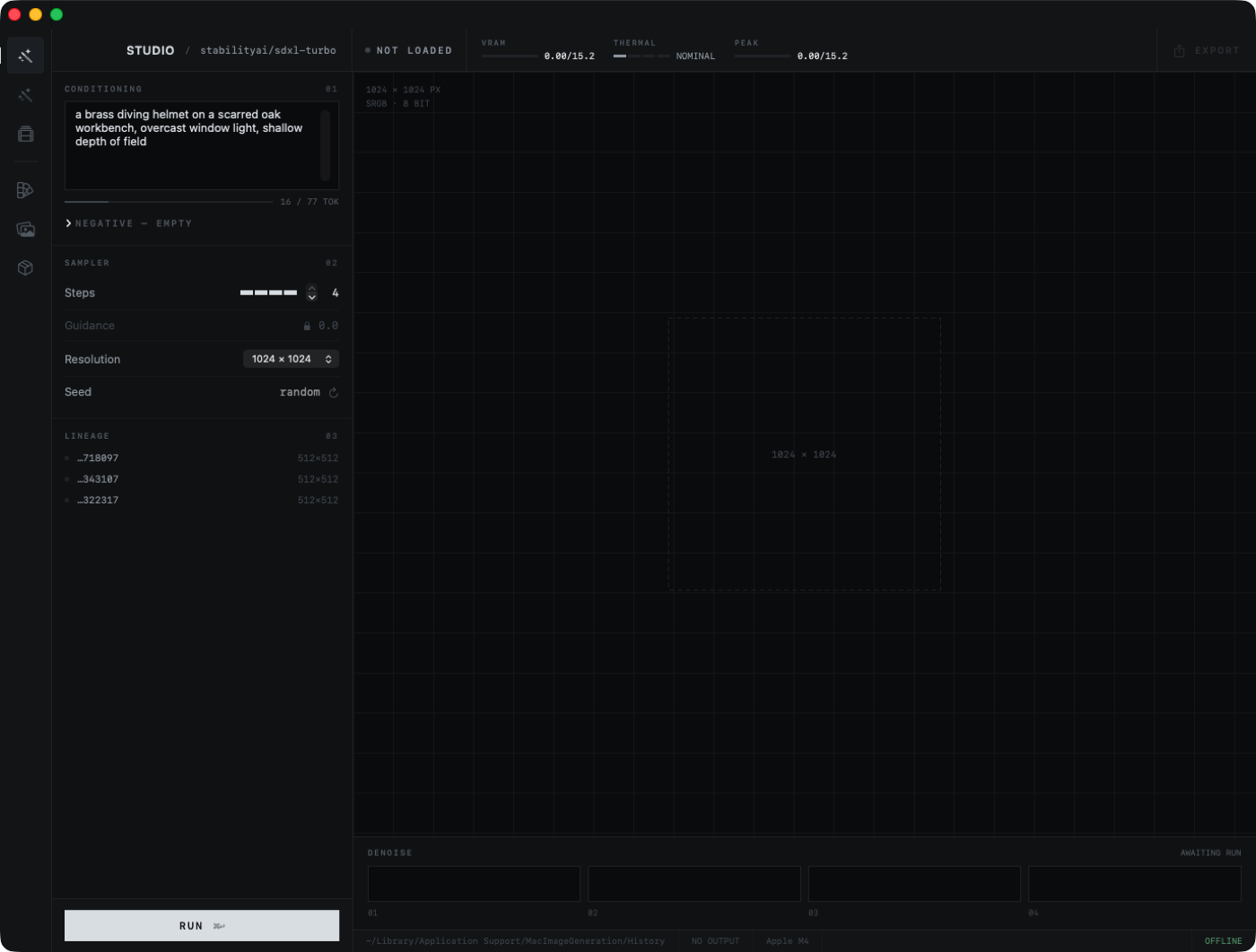
Work with an image canvas, a parameter column, and a local model library in one window.
Choose weights suited to your Mac and the result you want.
Write your prompt and adjust the generation parameters.
Inspect the output, refine your settings, and save the result.
Move between still images, edits, motion, and a consistent visual direction.
Generate still images with SDXL Turbo and Stable Diffusion models. Control the prompt, canvas, and generation settings.
Local model library / MLXStart with an existing photo and describe the change. Adjust edit strength to control how far the result moves from the source.
Source image / Prompt / Edit strengthGenerate a short film from a prompt or animate a still using LTX. Choose the resolution and frame count before rendering locally.
Inspect the five sample films ↑Keep your palette, typography, and voice together in a reusable Brand Kit for a consistent direction across generations.
Reusable creative settingsExplore the main image and video model families. Choose the edition and precision inside the app to suit your Mac.
The model behind the six films above. Q4, Q8 and BF16 editions run locally with the LTX MLX engine.
The model behind the two stills above. Q4_K, Q6_K and Q8_0 editions run locally with stable-diffusion.cpp on Metal, with an optional six-step Turbo mode.
Available in Q4, Q8 and BF16 editions. Model access approval is required.
5B and A14B editions, with separate text and image workflows. Runs through MLX-Gen.
13B video models with separate text-to-video and image-to-video checkpoints. For higher-memory Macs.
2B and 5B editions, including a dedicated 5B image-to-video model.
SDXL Base and Turbo, with curated XL styles including Juggernaut, RealVis and Animagine.
Availability follows the Mac app’s model catalog. Experimental models are still being validated. Download size and memory needs depend on the edition, resolution and clip length; check the model details in the app before installing.
Image and video inference runs on your Mac. After downloading the models, you can generate offline. Optional cloud prompt assistants require a connection.
Download the app, then install your first model.